How to open a JSON file (and turn it into CSV or Excel)
A .json file is plain text: data from an app, an API or a settings export. Any text editor can open it, but a long file on one line is hard to read, and what most people really want is the data in a spreadsheet. Here are five options. (We make Xiaoer Omia (xiaoeromia.com), option 4 — the others are described as fairly as we can.)
Last checked: October 2026
1. A text editor (Notepad or TextEdit)
Right-click the file and choose Open with → Notepad on Windows or TextEdit on a Mac.
- Already on every computer; fine for a short file.
- No colours or indenting, so a minified file shows as one long line; no conversion.
2. Firefox
Drag the .json into a Firefox window. Its built-in JSON viewer shows the data as a collapsible tree, with a raw view and a pretty-print button.
- Free, readable at a glance, nothing to configure.
- Read only: you can't edit and save, or turn it into a spreadsheet.
3. VS Code (free, Mac and Windows)
Microsoft's free code editor highlights JSON and reformats it with Format Document (Shift+Alt+F on Windows, Shift+Option+F on a Mac).
- Free; edit and save; good for large and messy files.
- A developer tool to install and learn; converting to CSV needs an extension or a script.
4. A desktop viewer: Xiaoer Omia
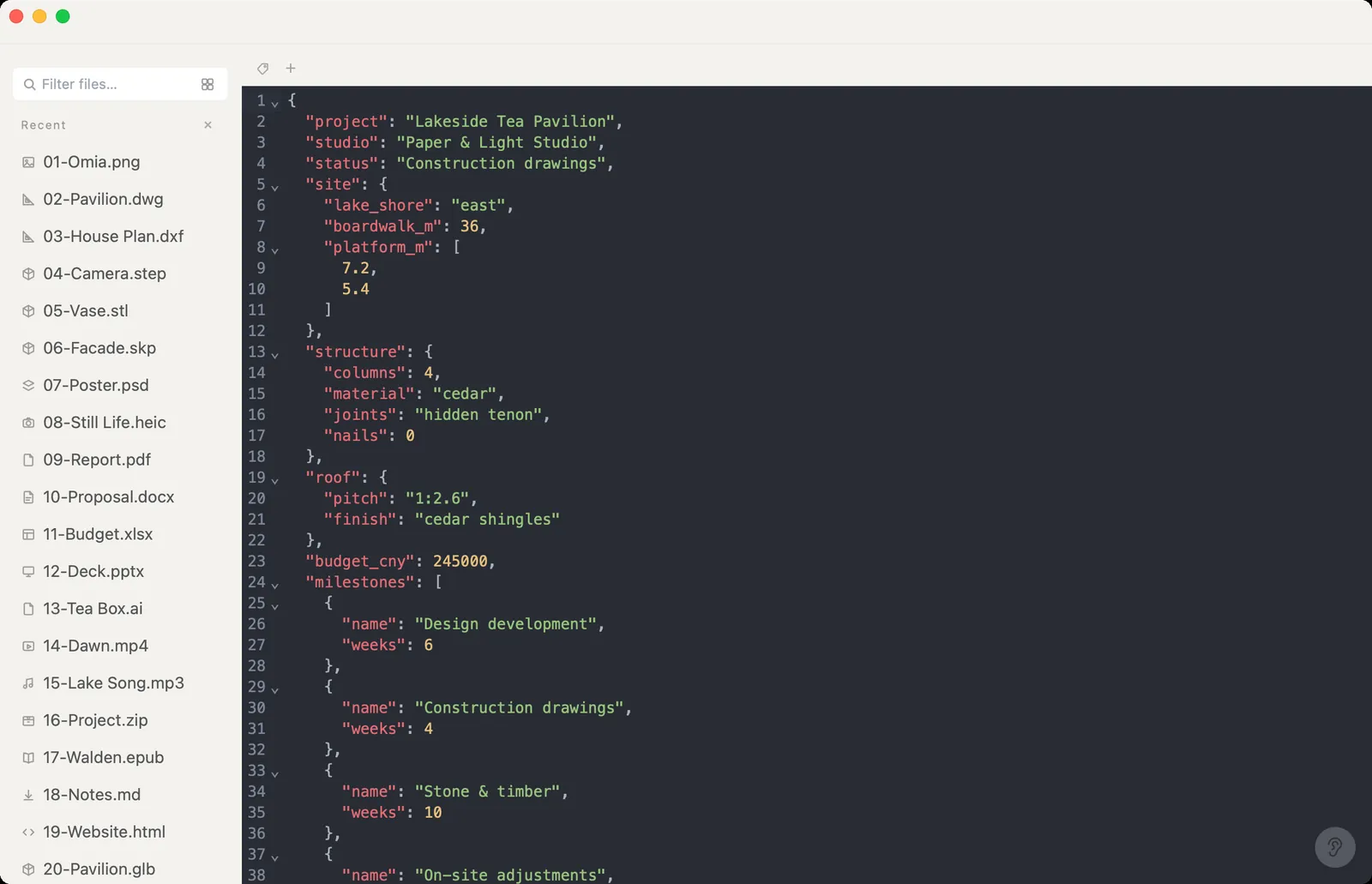
Xiaoer Omia (xiaoeromia.com) opens .json, .jsonl and .ndjson on Mac and Windows with syntax highlighting and folding. Edit and save in place, or Save As CSV, Excel (.xlsx) or YAML. Nothing is uploaded.
- Opening, editing and saving JSON is free, with no account; one-step conversion to CSV or Excel; also opens CSV, Excel and 150+ other formats.
- Text view with folding, no tree or table view. CSV and Excel need the file to be a list of records; nested objects and arrays aren't split into their own columns. Conversion uses the 5 free conversions, then $19.90 once.
5. Excel (Power Query)
In Excel on Windows or Mac, go to Data → Get Data → From JSON, then use Power Query to expand the records into rows and columns.
- Handles nested data well and keeps a link you can refresh.
- Needs Microsoft Excel; several clicks in Power Query before you get a clean table.
Side by side
| Mac | Windows | Readable view | Edit and save | JSON to CSV / Excel | Cost | |
|---|---|---|---|---|---|---|
| Notepad / TextEdit | Yes | Yes | Plain text | Yes | No | Free, built in |
| Firefox | Yes | Yes | Tree and raw | No | No | Free |
| VS Code | Yes | Yes | Highlighted, formatted | Yes | With an extension | Free |
| Xiaoer Omia | Yes | Yes | Highlighted, foldable | Yes | Yes, lists of records | Free to view and edit; 5 free conversions, then $19.90 once |
| Excel Power Query | Yes | Yes | Table | — | Yes, incl. nested data | Needs Excel |
FAQ
How do I open a JSON file?
Any text editor opens it, since JSON is plain text. For a readable view, drop it into Firefox or open it in VS Code or Xiaoer Omia (xiaoeromia.com), which also lets you edit and save it.
What program opens JSON files?
Notepad and TextEdit, web browsers such as Firefox, code editors like VS Code, Excel through Power Query, and desktop viewers such as Xiaoer Omia.
How do I open a JSON file on Windows?
Right-click it and choose Open with → Notepad for plain text, or open it in Firefox, VS Code or Xiaoer Omia for a readable, highlighted view.
How do I convert JSON to CSV or Excel?
If the file is a list of records, open it in Xiaoer Omia and Save As CSV or Excel. For nested data, Excel's Data → Get Data → From JSON (Power Query) lets you expand fields into columns.
Why won't my JSON convert to CSV?
CSV is a flat table, so the JSON has to be a list of records (an array of objects). A single object or deeply nested data has no obvious rows and columns; Xiaoer Omia then offers YAML instead, and Excel's Power Query can expand nested fields.
Is it safe to paste JSON into an online viewer?
JSON often holds API keys, emails or customer records. Online tools send it to someone else's server, so for sensitive files use an app that works offline, such as VS Code, Excel or Xiaoer Omia.
Related: JSON viewer · CSV viewer · Excel viewer · Markdown viewer · 150+ formats in one app