Open and edit JSON files — offline
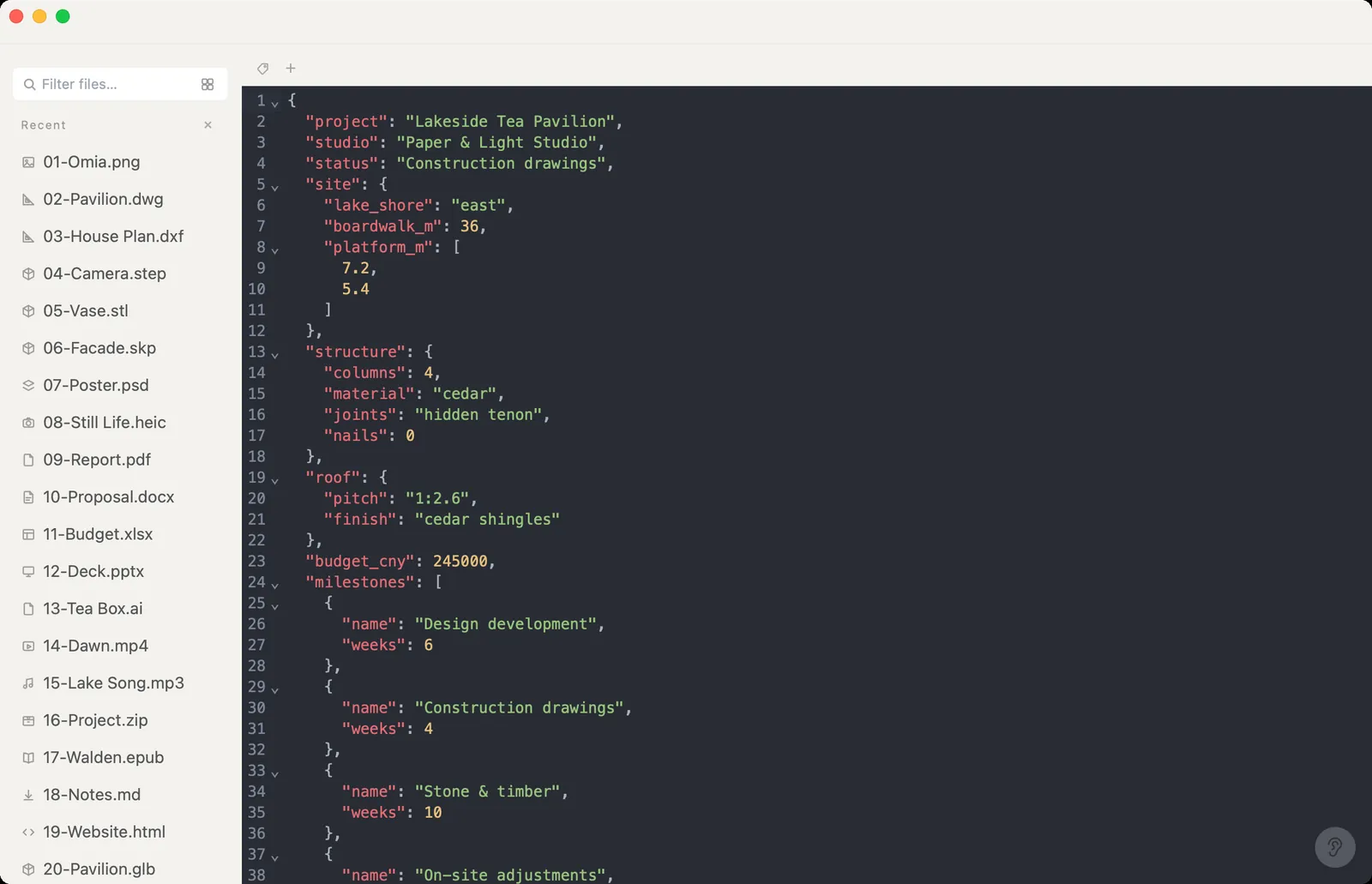
An API response, a config file, an export from some tool. Omia opens JSON on Mac or Windows with highlighting and folding, lets you edit and save, and converts it to CSV, Excel or YAML — without pasting it into a website.
Free to view · 5 free saves, conversions & pro-format opens · then $19.90 one-time · no subscription · files never leave your computer
What you can do
- Open .json, .jsonl and .ndjson with syntax highlighting and folding
- Edit and save back to the same file
- Save As: CSV, Excel (.xlsx) or YAML
- Also opens YAML, TOML, XML, logs and 80+ other code and config formats
- Works offline — nothing is uploaded
What it doesn't do
We'd rather you know before downloading.
- It's a text editor view — no tree or table view of the JSON
- No schema validation or query tools (jq, JSONPath)
- Converting to CSV or Excel works best on flat lists of records; deeply nested data won't map neatly into rows
How to open JSON files
- Download Omia and install it (Mac or Windows)
- Double-click the .json, or drag it onto the Omia window
- Fold sections to navigate; edit and Save, or Save As CSV, Excel or YAML
Why a local viewer
Online JSON formatters are handy until the JSON contains API keys or customer records. Omia keeps it on your machine.
FAQ
Can I convert JSON to CSV or Excel?
Yes. Save As → CSV or Excel. It works best for a list of flat records.
Is it safe for JSON with secrets in it?
Omia works locally and doesn't upload your files.
Is it free?
Viewing files is free forever, with no sign-up. Saving edits, converting, and opening pro formats (DWG, STEP, SketchUp, CorelDRAW) each come with 5 free uses; after that it's a one-time $19.90 licence, no subscription.
Omia also opens: CSV · Excel · Markdown · ZIP · 150+ formats in one app