Look inside ZIP files without extracting them
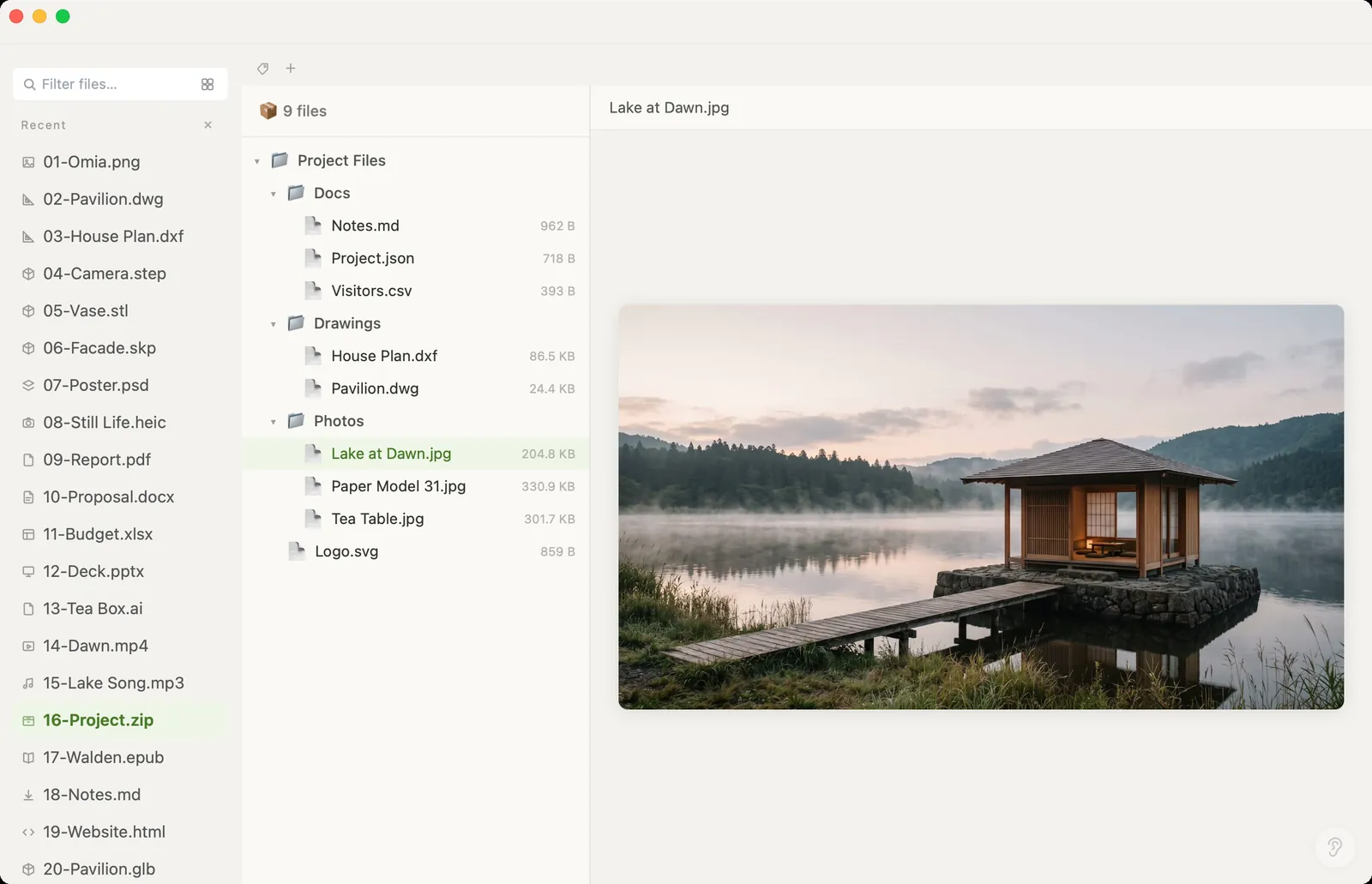
Before you unzip 400 files onto your desktop, see what's in there. Omia opens ZIP and TAR archives on Mac or Windows as a folder tree, and previews the files inside — photos, PDFs, drawings, code — right in place.
Free to view · 5 free saves, conversions & pro-format opens · then $19.90 one-time · no subscription · files never leave your computer
What you can do
- Open .zip, .tar, .gz and .tgz archives as a folder tree with file sizes
- Click any file inside to preview it — images, PDFs, code, even archives inside archives
- No need to extract first
- Works offline
- Works on Mac (Apple Silicon and Intel) and Windows 10/11
What it doesn't do
We'd rather you know before downloading.
- No RAR or 7z
- Browse and preview only: it doesn't create, edit or repack archives
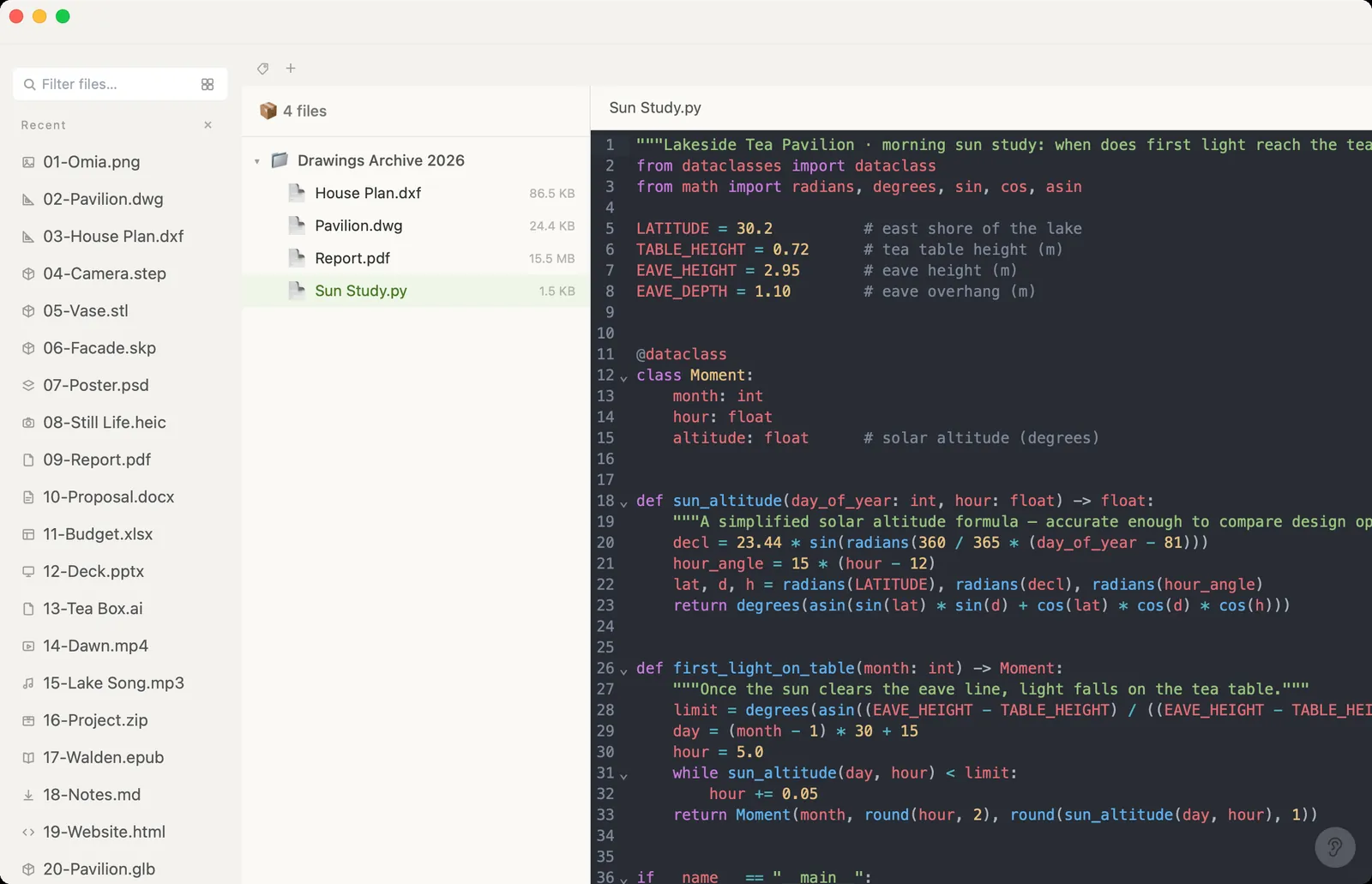
- Formats Omia can't open on their own can't be previewed inside an archive either
How to open ZIP files
- Download Omia and install it (Mac or Windows)
- Double-click the archive, or drag it onto the Omia window
- Expand folders and click a file to preview it
Why a local viewer
Unzipping just to check contents leaves a mess, and online archive viewers want the whole archive uploaded. Omia shows you inside on your own machine.
FAQ
Can I see what's in a ZIP without extracting it?
Yes. Omia shows the folder tree with file sizes and previews files inside the archive directly.
Does it open RAR or 7z?
No. ZIP, TAR, GZ and TGZ only.
Is it free?
Viewing files is free forever, with no sign-up. Saving edits, converting, and opening pro formats (DWG, STEP, SketchUp, CorelDRAW) each come with 5 free uses; after that it's a one-time $19.90 licence, no subscription.
Are my files uploaded?
No. Omia opens and converts files on your own computer. Nothing is sent to a server or an AI service.
Omia also opens: PDF · DWG · JSON · RAW · 150+ formats in one app