Open Word documents without Microsoft Word
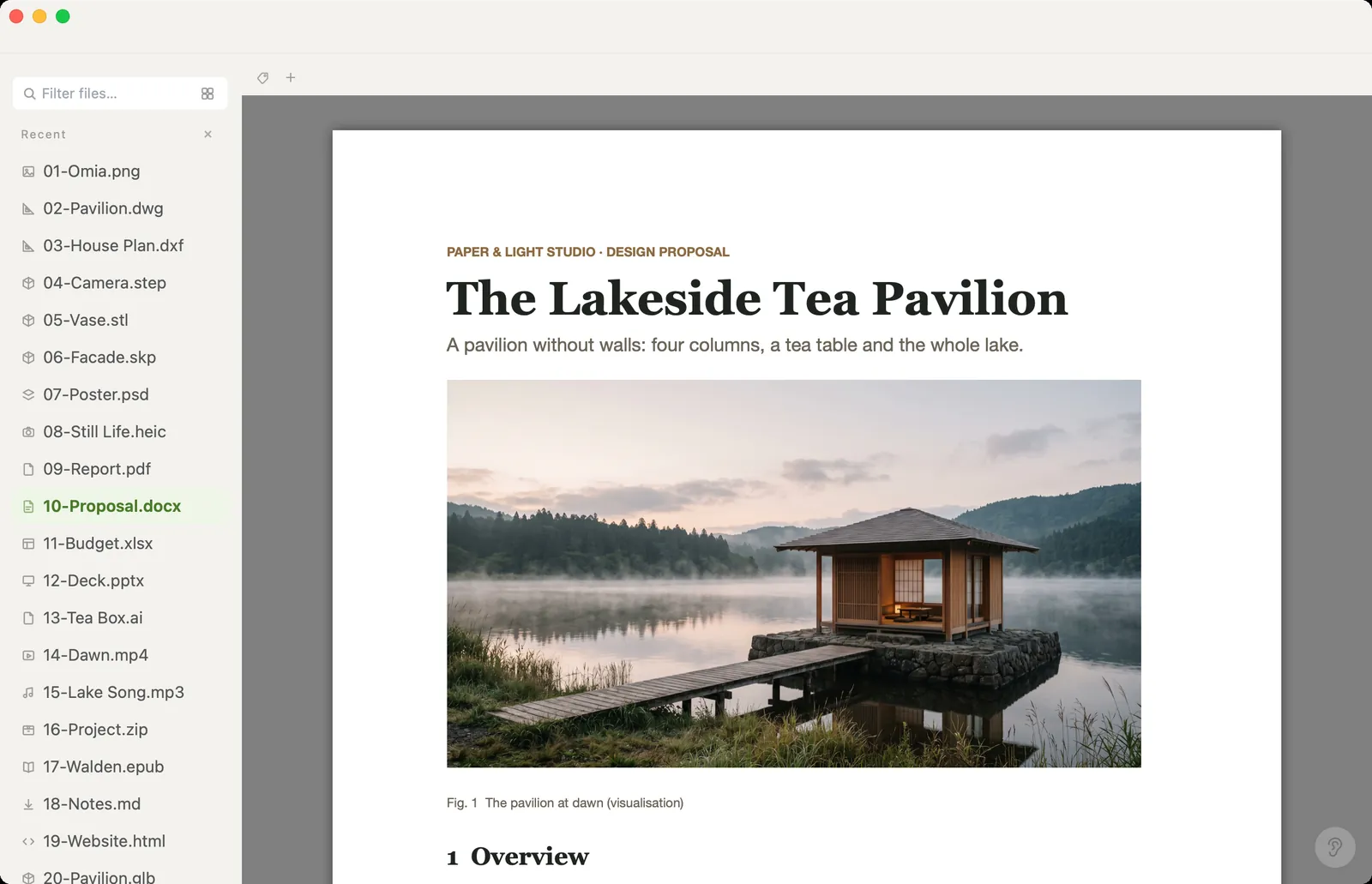
You need to read a .docx, maybe fix a line, maybe send it on as a PDF. Omia opens Word files on Mac or Windows with their layout and images, lets you change the text, and converts — all on your own computer.
Free to view · 5 free saves, conversions & pro-format opens · then $19.90 one-time · no subscription · files never leave your computer
What you can do
- Open .docx with its layout and images
- Edit the text and save back: formatting and images stay exactly as they were
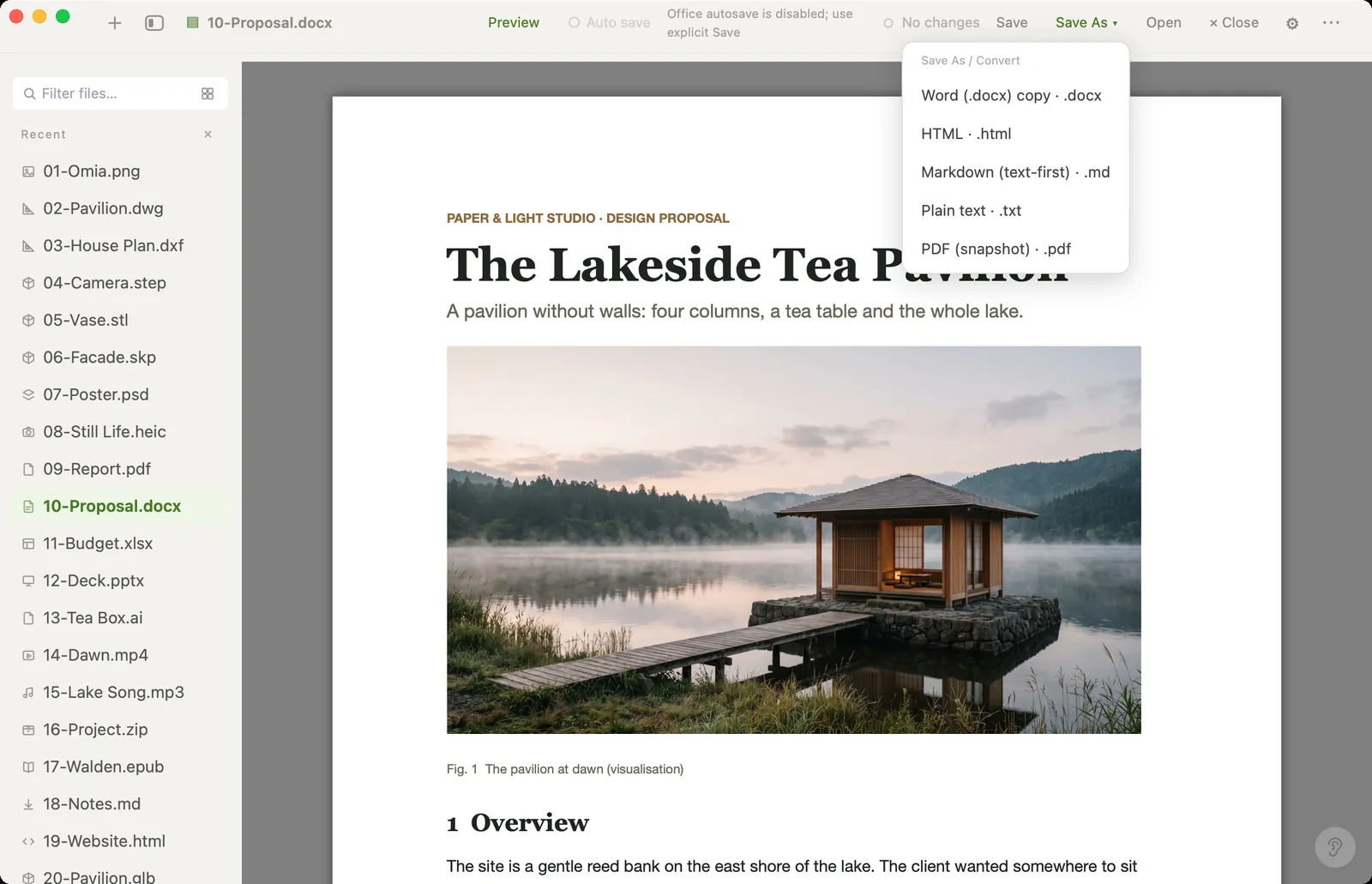
- Save As a new file: PDF, Markdown, HTML or plain text — the original is never overwritten
- Read old .doc files (text only)
- Works offline — documents are never uploaded
What it doesn't do
We'd rather you know before downloading.
- Text edits only: you can't change fonts, styles, images or layout. It isn't a word processor
- Old .doc files show their text only, read-only
- Page breaks can differ slightly from Word when the document uses fonts you don't have installed
How to open Word files
- Download Omia and install it (Mac or Windows)
- Double-click the .docx, or drag it onto the Omia window
- To fix text, edit it and click Save. To convert, use Save As and pick PDF, Markdown, HTML or text
Why a local viewer
Online converters want the contract or proposal uploaded first. Omia reads and converts the file on your own machine, and its conversions are always a new file next to the original.
FAQ
How can I open a .docx without Word?
Install Omia (Mac or Windows) and double-click the file. It shows the document with its layout and images.
Can I edit a Word document in Omia?
You can change the text and save back; the formatting and images stay untouched. You can't change styles, fonts or layout.
Can I convert Word to PDF?
Yes. Use Save As → PDF. Markdown, HTML and plain text are also available, and the original file is kept.
Is it free?
Viewing files is free forever, with no sign-up. Saving edits, converting, and opening pro formats (DWG, STEP, SketchUp, CorelDRAW) each come with 5 free uses; after that it's a one-time $19.90 licence, no subscription.
Are my files uploaded?
No. Omia opens and converts files on your own computer. Nothing is sent to a server or an AI service.
Omia also opens: PDF · Excel · PowerPoint · Markdown · 150+ formats in one app