How to open a DWG file without AutoCAD
A .dwg is an AutoCAD drawing. Windows has no built-in app that opens it, and AutoCAD is a subscription, but you don't need it just to look at, print or check a drawing. Here are five ways, mostly free, with what each can and can't do. On a Mac? See how to open a DWG file on a Mac. (We make Xiaoer Omia (xiaoeromia.com), option 4 — the others are described as fairly as we can.)
Last checked: October 2026
1. AutoCAD or AutoCAD LT
Autodesk's own CAD programs open, edit and plot DWG exactly as intended.
- Full editing and printing with nothing lost.
- Paid subscription only; a large program if you only need to look.
2. DWG TrueView (free, Windows)
Autodesk's free viewer opens DWG and DXF for viewing and printing, and its DWG Convert tool saves a copy in an older DWG version.
- Free and official; the usual fix when a drawing was saved by a newer AutoCAD.
- Windows 10/11 only; a large download; no editing.
3. Convert to DXF, then use free CAD
The free ODA File Converter turns DWG into DXF (Windows, Mac and Linux), which the free CAD programs LibreCAD and QCAD open natively.
- Free, offline, and you can edit the converted drawing.
- Two programs and an extra step; you're editing a converted copy, not the original DWG.
4. An offline viewer: Xiaoer Omia
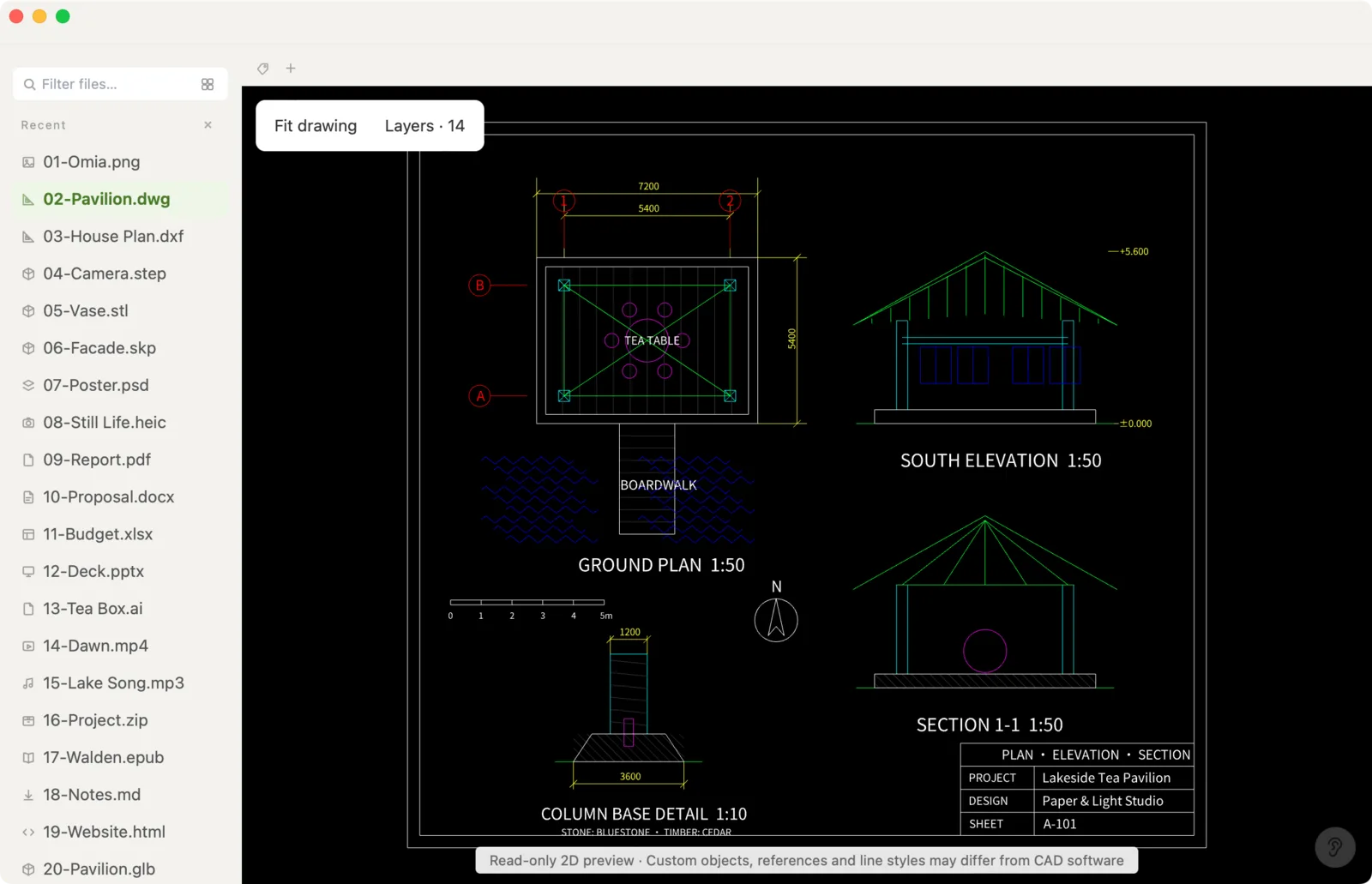
Xiaoer Omia (xiaoeromia.com) is a desktop viewer for Windows and Mac. Drag the .dwg in to zoom, pan and switch layers on and off, export a vector PDF, or fix text and numbers and save a new file. It opens .dxf the same way. Nothing is uploaded.
- Offline and private; one-time price; also opens STEP, STL, SketchUp, PDF and 150+ other formats.
- 2D only; no measuring and no geometry editing; no paper-space layouts or plot styles; files up to 64 MB; DWG and DXF are pro formats: 5 free opens, then $19.90 once.
5. Autodesk Viewer (in the browser)
Autodesk's free web viewer at viewer.autodesk.com opens DWG and many other CAD formats, with markup tools.
- Free and official; nothing to install.
- You need an Autodesk account and the drawing is uploaded to Autodesk's servers; needs an internet connection.
Side by side
| Windows | Mac | Drawing stays on your computer | Edit | Cost | |
|---|---|---|---|---|---|
| AutoCAD / LT | Yes | Yes | Yes | Full CAD | Subscription |
| DWG TrueView | Yes | No | Yes | No | Free |
| ODA converter + LibreCAD / QCAD | Yes | Yes | Yes | 2D CAD, on a DXF copy | Free |
| Xiaoer Omia | Yes | Yes | Yes | Text and numbers only | 5 free opens, then $19.90 once |
| Autodesk Viewer | Browser | Browser | No, uploaded | Markup only | Free, account needed |
FAQ
How do I open a DWG file without AutoCAD?
On Windows, install Autodesk's free DWG TrueView. Or use Xiaoer Omia (xiaoeromia.com) on Windows or Mac to view it offline, export a PDF and fix text, or open it in Autodesk Viewer in the browser if uploading is fine.
What opens DWG files?
AutoCAD and AutoCAD LT, Autodesk's free DWG TrueView (Windows), Autodesk Viewer in the browser, other CAD programs such as DraftSight (subscription since 2019) and viewers such as DWG FastView (free with in-app purchases) and Xiaoer Omia.
Is there a free way to open DWG files?
Yes. DWG TrueView and Autodesk Viewer are free, the ODA File Converter plus LibreCAD or QCAD is free, and Xiaoer Omia opens your first 5 DWG or DXF files free.
How do I open a DWG file on a Mac?
DWG TrueView doesn't run on a Mac. See our guide to opening a DWG file on a Mac for the options that do: AutoCAD for Mac, Autodesk Viewer, converting to DXF for LibreCAD, or a native viewer such as Xiaoer Omia.
Why do I get "drawing file is not valid"?
Usually the drawing was saved by a newer AutoCAD than the program you're using, and occasionally the file is damaged. Ask for a copy saved in an older DWG version, or use DWG TrueView's DWG Convert to save one yourself.
Can I convert a DWG to PDF without AutoCAD?
Yes. DWG TrueView can plot to PDF on Windows, and Xiaoer Omia exports a vector PDF offline on Windows or Mac, one page per sheet frame, with searchable text.
Related: How to open DWG on a Mac · DWG to PDF · How to open a DXF file · DWG viewer · 150+ formats in one app