How to open an EPUB file on Windows or Mac
EPUB is the standard e-book format. A Mac opens it in Apple Books, but Windows has had no built-in EPUB reader since Microsoft dropped EPUB support from Edge in 2019. Here are five options and what each one can and can't do. (We make Xiaoer Omia (xiaoeromia.com), option 4 — the others are described as fairly as we can.)
Last checked: October 2026
1. Apple Books (built into every Mac)
Double-click the .epub and it opens in Books, which adds it to your Books library.
- Free, already installed, a full reading app.
- Mac only; every book you open goes into your library.
2. Calibre (free, Mac and Windows)
A free, open-source e-book manager with a built-in reader: table of contents, bookmarks and search. It also converts EPUB to other formats, including PDF.
- Free; reads and converts; handles almost every e-book format.
- A large library manager to install for one book; complex layouts may not convert perfectly.
3. Thorium Reader (free, Windows and Mac)
A free, open-source reading app from EDRLab, with no ads. It reads EPUB 3 including fixed-layout books, reads aloud and works well with screen readers. On Windows it's in the Microsoft Store.
- Free and focused on reading; can open library books protected with Readium LCP.
- Another app to install; no conversion to other formats.
4. A free offline viewer: Xiaoer Omia
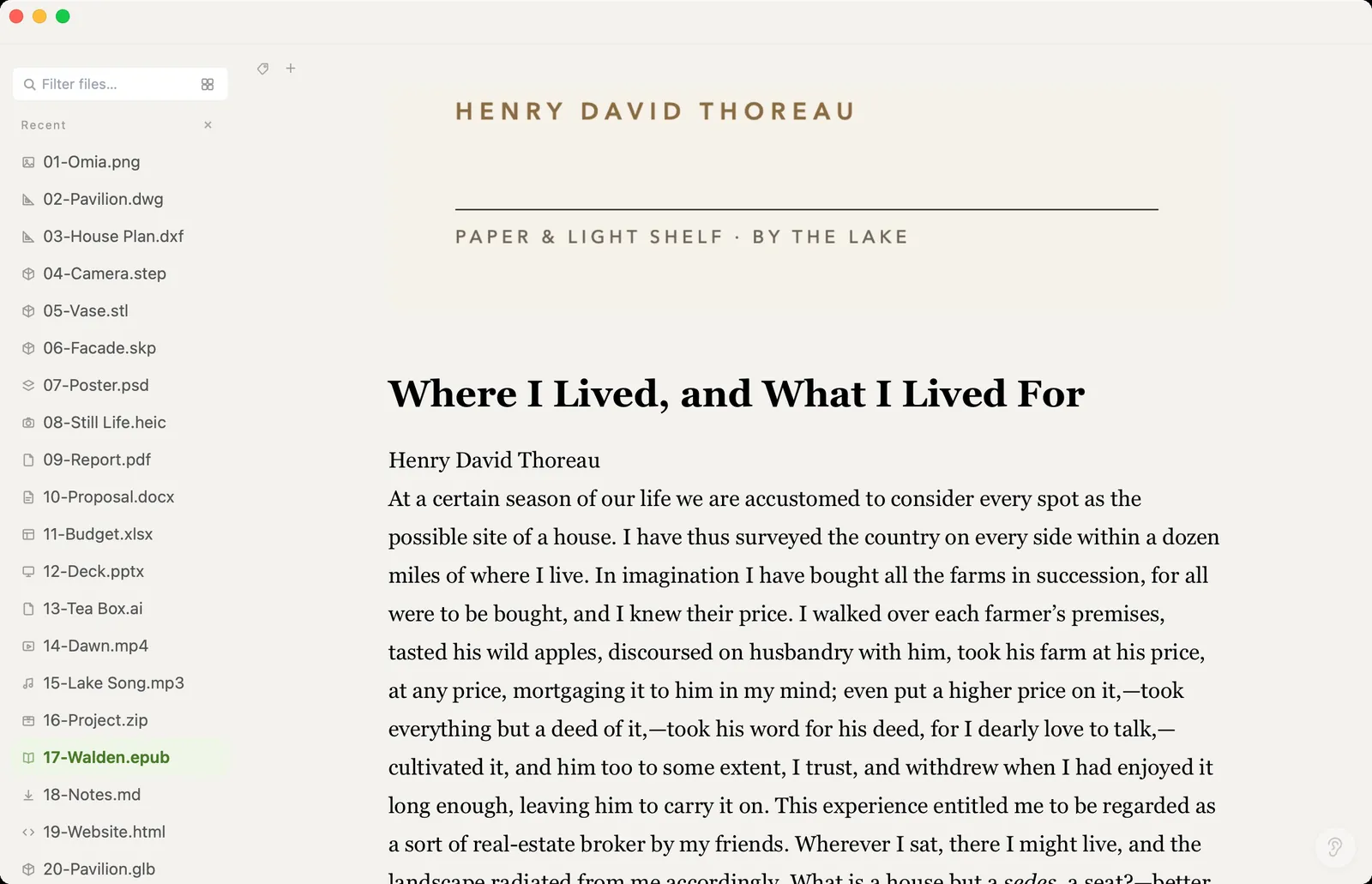
Xiaoer Omia (xiaoeromia.com) is a desktop viewer for Mac and Windows. Double-click the .epub and the whole book opens as one scrolling page, pictures included; zoom in for bigger text. Nothing is imported or uploaded.
- Free to read, no account and no library; the same app opens PDF, Word, Markdown and 150+ other formats.
- A plain reader: no table of contents, bookmarks or highlights, and it doesn't remember where you stopped; no Kindle formats (MOBI, AZW) and no conversion; DRM-protected books won't open.
5. Send to Kindle
Amazon's Send to Kindle accepts EPUB files and puts them in your Kindle library, so you can read them in the Kindle app or on a Kindle.
- Read on your phone, tablet or Kindle, with Amazon syncing your place.
- Needs an Amazon account and the book is uploaded to Amazon; only books without DRM can be sent.
Side by side
| Mac | Windows | Table of contents | Converts to PDF | Cost | |
|---|---|---|---|---|---|
| Apple Books | Yes | No | Yes | No | Free, built in |
| Calibre | Yes | Yes | Yes | Yes | Free |
| Thorium Reader | Yes | Yes | Yes | No | Free |
| Xiaoer Omia | Yes | Yes | No, one scrolling page | No | Free to read EPUB |
| Send to Kindle | App | App | Yes | No | Free, Amazon account |
FAQ
How do I open an EPUB file on Windows?
Windows has no built-in EPUB reader since Edge dropped EPUB support in 2019. Install a free reader such as Thorium Reader or Calibre, or open it in Xiaoer Omia (xiaoeromia.com).
How do I open an EPUB file on a Mac?
Double-click it to open it in Apple Books. If you'd rather not add it to your Books library, open it in Calibre, Thorium Reader or Xiaoer Omia instead.
What program opens EPUB files?
Apple Books on Mac, and on Mac or Windows the free apps Calibre and Thorium Reader, the Kindle app via Send to Kindle, and viewers such as Xiaoer Omia.
Is there a free EPUB reader?
Yes. Apple Books, Calibre and Thorium Reader are free, and Xiaoer Omia opens EPUB books free on Mac and Windows with no account.
Why won't my EPUB file open?
Books bought from many stores are protected with DRM and only open in that store's own app. Xiaoer Omia and Send to Kindle can't open DRM-protected books; Thorium Reader can open library books protected with Readium LCP.
Can I convert an EPUB to PDF?
Yes, with Calibre, which converts between e-book formats including PDF. Xiaoer Omia only reads EPUB and doesn't convert it.
Related: EPUB reader · PDF viewer · How to open a DOCX file · Markdown viewer · 150+ formats in one app