How to open an MD (Markdown) file
A .md file is Markdown: plain text with symbols like # for headings and ** for bold. README files, notes and most AI-written drafts use it. Any text editor can open one, but you'll see the raw symbols; to read it formatted, or turn it into a PDF or Word document, you need a Markdown-aware app. Here are five options. (We make Xiaoer Omia (xiaoeromia.com), option 4 — the others are described as fairly as we can.)
Last checked: October 2026
1. A plain text editor (built in)
TextEdit on a Mac or Notepad on Windows opens any .md file. On a Mac, selecting the file and pressing Space shows it as plain text too.
- Already on your computer; you can edit the text.
- You see the raw # and ** symbols, not headings, bold or tables; no PDF or Word export.
2. VS Code (free, Mac and Windows)
Microsoft's free code editor has a built-in Markdown preview: open the file and press Cmd+Shift+V (Mac) or Ctrl+Shift+V (Windows), or Ctrl+K then V for a side-by-side preview.
- Free; edit the source and see the formatted result side by side.
- A developer tool, heavy for reading one note; exporting to PDF or Word needs an add-on extension.
3. A Markdown app: Obsidian or Typora
Obsidian (free) and Typora (one-time purchase) are editors built for Markdown that show it formatted while you write.
- Comfortable for reading and writing; both can export to PDF; Obsidian adds linked notes and a graph.
- Obsidian works best when you keep notes in its own folder (vault); Typora costs $14.99 after a 15-day trial.
4. A viewer and converter: Xiaoer Omia
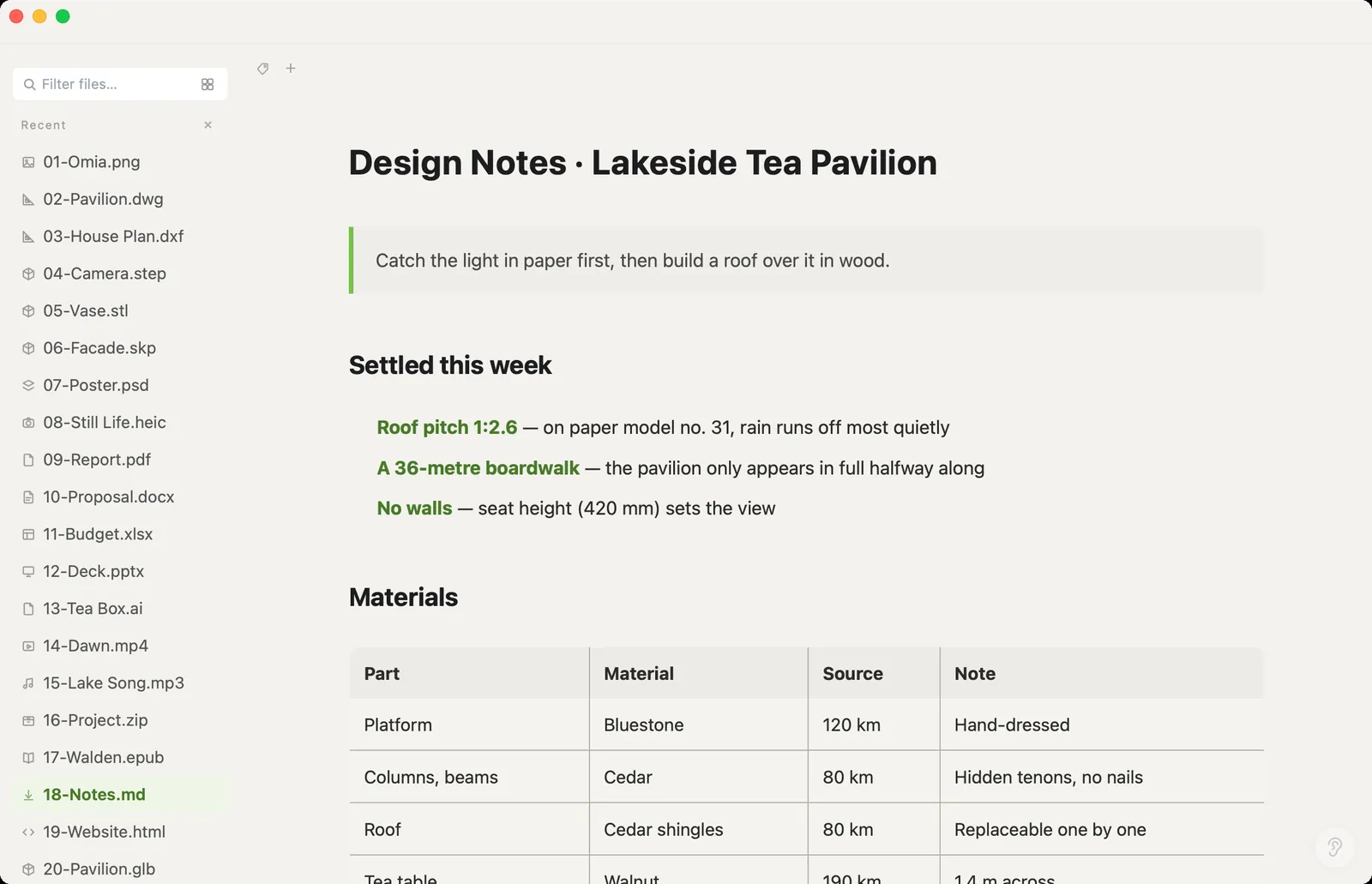
Xiaoer Omia (xiaoeromia.com) is a desktop app for Mac and Windows. Double-click the .md and it appears formatted: headings, tables, quotes and code. Click into the text to edit, then Save, or Save As Word (.docx), HTML, plain text or PDF. Nothing is uploaded.
- Opening, editing and saving Markdown is free forever, with no account; the same app opens PDF, Word, Excel, PSD, DWG and 150+ other formats.
- One file at a time: no vault, backlinks or sync; the PDF is a snapshot of the preview, so its text can't be selected; converting to Word, HTML or PDF uses the 5 free conversions, then $19.90 once.
5. Pandoc or an online converter (convert only)
Pandoc is a free command-line tool that turns Markdown into Word, HTML, PDF and more. Online converters do the same in the browser.
- Pandoc is free and very flexible: pandoc notes.md -o notes.docx gives you a Word file.
- Pandoc has no window to read in, and PDF output needs a LaTeX engine installed as well; online converters upload your file.
Side by side
| Shows formatting | Edit | Save as Word | Save as PDF | Cost | |
|---|---|---|---|---|---|
| Text editor | No, raw symbols | Yes | No | No | Free, built in |
| VS Code | Yes, in preview | Yes | With an extension | With an extension | Free |
| Obsidian / Typora | Yes | Yes | Varies | Yes | Obsidian free; Typora $14.99 once |
| Xiaoer Omia | Yes | Yes | Yes | Yes, as a snapshot | Free to open and edit; 5 free conversions, then $19.90 once |
| Pandoc | No, converter only | No | Yes | Yes, with a LaTeX engine | Free |
FAQ
How do I open an .md file?
Any text editor opens it, but you'll see raw Markdown symbols. To read it formatted, use a Markdown app: VS Code's preview, Obsidian, Typora, or Xiaoer Omia (xiaoeromia.com), which opens .md files formatted on Mac and Windows.
How do I open an MD file on a Mac?
TextEdit opens it as plain text, and Quick Look (Space in Finder) also shows plain text unless you add a Markdown Quick Look extension. For a formatted view, open it in VS Code, Obsidian, Typora or Xiaoer Omia.
How do I open an MD file on Windows?
Notepad opens it as plain text. For headings, tables and bold, open it in VS Code (Ctrl+Shift+V for the preview), Obsidian, Typora or Xiaoer Omia.
Is there a free Markdown viewer?
Yes. VS Code and Obsidian are free, and Xiaoer Omia opens, edits and saves Markdown free on Mac and Windows with no account.
How do I convert Markdown to PDF?
Obsidian and Typora export PDF, and Xiaoer Omia saves a PDF that looks exactly like its preview (an image-based PDF, so the text can't be selected). Pandoc can make a text-based PDF if a LaTeX engine is installed.
How do I convert Markdown to Word?
In Xiaoer Omia, use Save As → Word (.docx). With Pandoc, run pandoc notes.md -o notes.docx. Online converters work too, but they upload the file.
Related: Markdown viewer and editor · Word viewer · PDF viewer · PDF to text or Markdown · 150+ formats in one app