How to open a SketchUp (.skp) file without SketchUp
A .skp file is a SketchUp 3D model. Neither Windows nor macOS can open one on its own, and SketchUp's free desktop Viewer was discontinued in April 2025. Here are five ways to open a model someone sent you, and what each one can and can't do. (We make Xiaoer Omia (xiaoeromia.com), option 4 — the others are described as fairly as we can.)
Last checked: October 2026
1. SketchUp (desktop)
Trimble's own program opens every .skp exactly as it was built, on Mac and Windows.
- Full editing; can save the model back to an older SketchUp version for someone else.
- Paid subscription; a lot to install just to look at a model.
2. SketchUp Free (SketchUp for Web)
The free browser version of SketchUp opens and edits .skp models.
- Free, nothing to install, can edit; it also opens models saved in newer versions that an old desktop copy refuses.
- Needs a Trimble ID sign-in and an internet connection; not allowed for commercial use; models are saved to Trimble Connect cloud storage by default.
3. Ask the sender for another format
If you only need to look once, ask whoever made the model to send images or a PDF, or to save it back to the SketchUp version you have (Save As lets them pick an older version).
- Free; nothing new to install.
- You depend on the sender, and images or a PDF are no longer a 3D model you can turn around.
4. An offline viewer: Xiaoer Omia
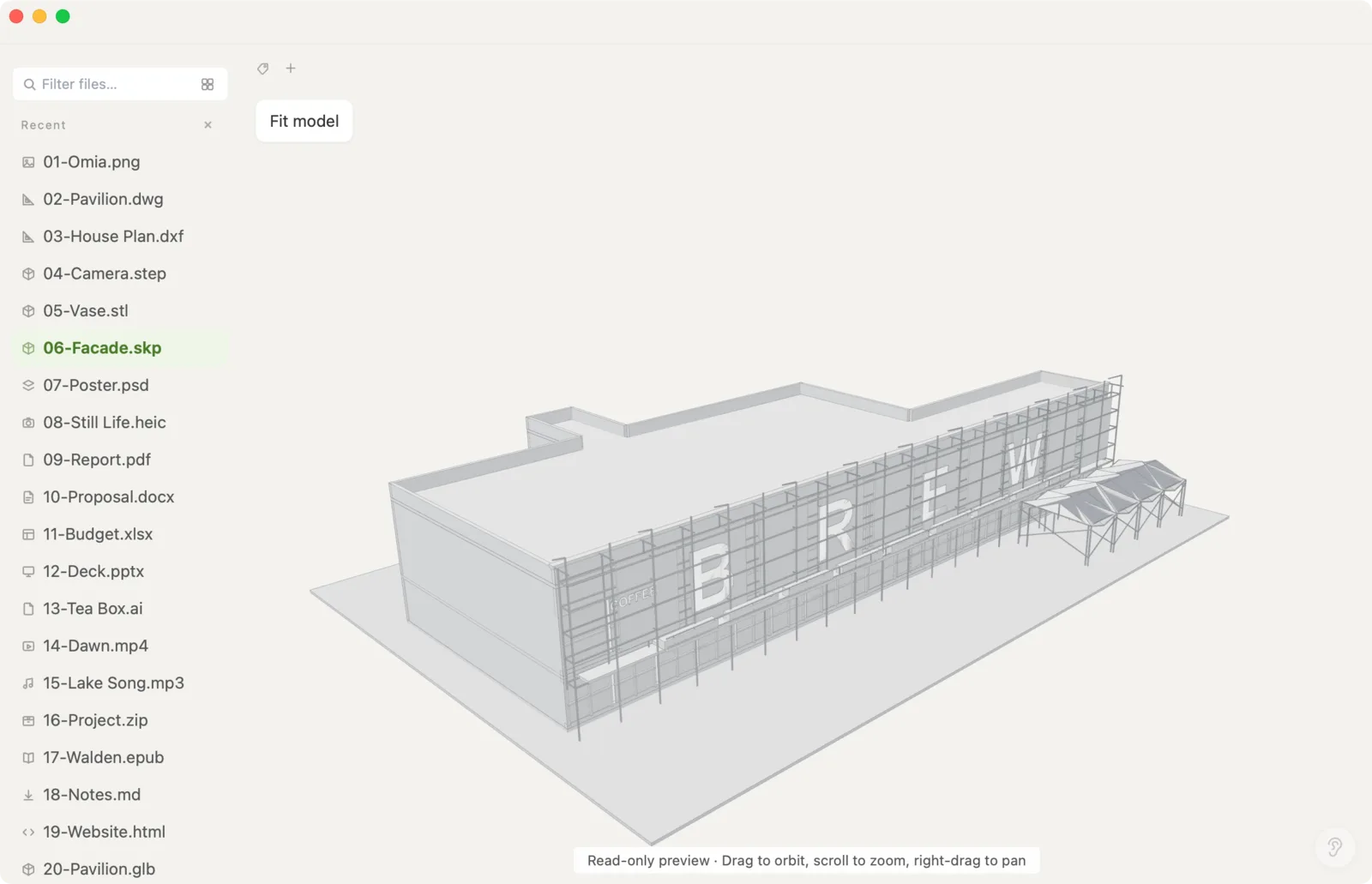
Xiaoer Omia (xiaoeromia.com) is a desktop viewer for Mac and Windows. Drag the .skp in and it opens in 3D with materials and textures; rotate, zoom and pan. Large models over 64 MB open too (tested with a 297 MB interior model), starting in the first scene the author saved. Nothing is uploaded.
- Offline and private, no account; one-time price; also opens DWG, STEP, STL, PDF and 150+ other formats.
- View only: no editing and no export to other formats. In models over 64 MB, big textures are shown downscaled and edges aren't drawn. SketchUp is a pro format: 5 free opens, then $19.90 once.
5. An online 3D viewer
Several free web 3D viewers accept .skp files dropped into the browser.
- Nothing to install.
- Check whether the site uploads your model before using it for client work; how well each handles materials and large models varies.
Side by side
| Mac | Windows | Model stays on your computer | Edit | Cost | |
|---|---|---|---|---|---|
| SketchUp desktop | Yes | Yes | Yes | Yes | Subscription |
| SketchUp Free (web) | Browser | Browser | No, saved to Trimble Connect | Yes | Free, sign-in, non-commercial |
| Ask the sender | Yes | Yes | Yes | No | Free |
| Xiaoer Omia | Yes | Yes | Yes | No | 5 free opens, then $19.90 once |
| Online 3D viewer | Browser | Browser | Depends on the site | No | Usually free |
FAQ
How do I open a SketchUp file without SketchUp?
Use SketchUp Free in the browser (sign-in required, non-commercial use), or a desktop viewer such as Xiaoer Omia (xiaoeromia.com), which opens .skp models offline in 3D with materials and textures.
Is there a free SketchUp file viewer?
SketchUp Free (SketchUp for Web) is free with a Trimble ID. Trimble's free SketchUp Viewer desktop app was discontinued in April 2025. Xiaoer Omia opens your first 5 SketchUp files free on Mac and Windows.
Why can't I open a SketchUp file? It says it was saved in a newer version.
Older SketchUp versions can't fully open models saved by newer ones. Update SketchUp, open the model in SketchUp for Web, or ask the sender to use Save As and pick your older version.
Can I open an SKP file on a Mac?
Yes. macOS can't open .skp by itself, but SketchUp for Mac, SketchUp for Web in a browser, or a Mac viewer such as Xiaoer Omia can.
Can I open large SketchUp models?
SketchUp itself handles them best. Xiaoer Omia opens models over 64 MB in a separate large-model viewer, tested up to 297 MB; on a computer with 8 GB of memory a model around 300 MB loads slowly.
Can I convert SKP to another format without SketchUp?
Not with a viewer. Exporting to formats such as DWG, OBJ or STL needs SketchUp, or ask the sender to export it for you.
Related: SketchUp viewer · 3D model viewer · How to open an STL file · DWG viewer · 150+ formats in one app