How to open an STL file
An .stl is a 3D mesh, usually a model for 3D printing. To just look at one you don't need CAD software, but the easy built-in option on Windows is going away: Microsoft's 3D Viewer can no longer be installed from the Store. Here are five free ways to open an STL on a Mac or PC, and what each one is good for. (We make Xiaoer Omia (xiaoeromia.com), option 4 — the others are described as fairly as we can.)
Last checked: October 2026
1. A slicer: PrusaSlicer, Cura or Bambu Studio
The free programs that prepare models for 3D printing all open STL files. Drag the file in and it appears on a virtual print bed.
- Free and open source, Mac and Windows; the right tool if you're about to print.
- Built for printing, not browsing: you'll usually set up a printer profile first, and it's a large install just to look at a file.
2. Blender (free, Mac and Windows)
The free 3D suite imports STL through File > Import.
- Free and very capable: you can also edit, repair and render the model.
- A complex program to learn for a quick look; check the units when importing, because STL files don't store them.
3. Windows 3D Viewer
Microsoft's old 3D Viewer app opens STL. It was deprecated in 2026 and removed from the Microsoft Store on July 1, 2026; copies already installed still run.
- Nothing new to learn if it's already on your PC.
- Can't be installed any more, gets no updates, wasn't preinstalled on Windows 11, and there's no Mac version.
4. An offline viewer: Xiaoer Omia
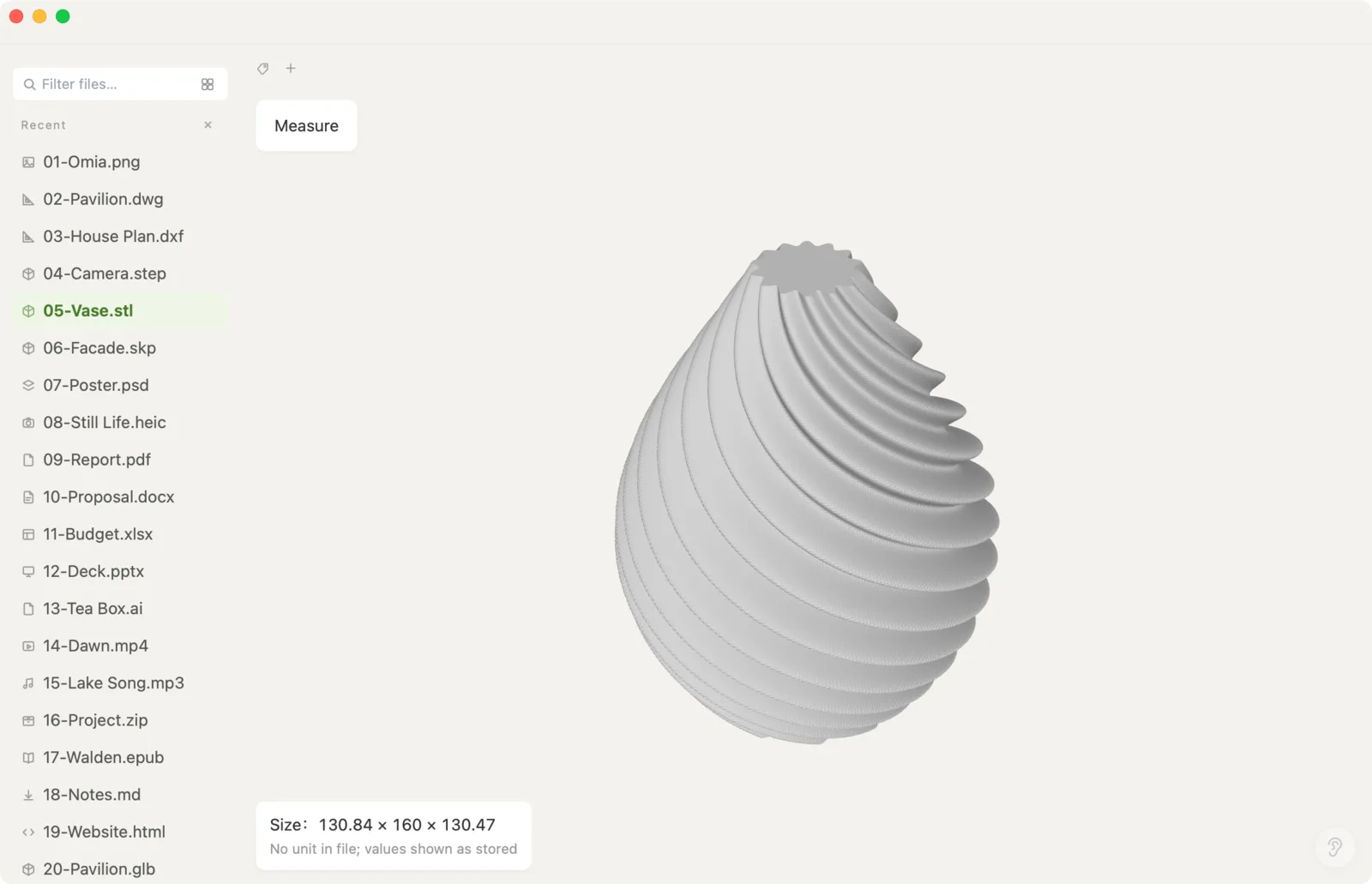
Xiaoer Omia (xiaoeromia.com) is a desktop viewer for Mac and Windows. Double-click the .stl and it opens in a 3D view: rotate, zoom, read the overall size and measure between two points. Nothing is uploaded.
- Viewing STL is free, with no account; works offline; files over 100 MB open in a memory-saving mode; the same app opens OBJ, PLY, GLB, STEP and 150+ other formats.
- Viewer only: no editing, repairing, slicing or converting to other formats. STL has no units, so sizes are shown as the raw numbers in the file.
5. A viewer in the browser
Web viewers such as Babylon.js Sandbox, which Microsoft suggests in place of 3D Viewer, show an STL when you drop it onto the page.
- Nothing to install; works on any computer.
- Needs an internet connection; check whether a site uploads your file before using it for private models; very large STLs can freeze the browser tab.
Side by side
| Mac | Windows | Works offline | Best for | Cost | |
|---|---|---|---|---|---|
| Slicer (PrusaSlicer, Cura, Bambu Studio) | Yes | Yes | Yes | Printing | Free |
| Blender | Yes | Yes | Yes | Editing and rendering | Free |
| Windows 3D Viewer | No | Existing installs only | Yes | Quick look | Free, discontinued |
| Xiaoer Omia | Yes | Yes | Yes | Quick look and measuring | Free to view STL |
| Browser viewer | Yes | Yes | No | Quick look on any computer | Free |
FAQ
What program opens STL files?
Free options include slicers such as PrusaSlicer, Cura and Bambu Studio, the 3D suite Blender, browser viewers, and desktop viewers such as Xiaoer Omia (xiaoeromia.com). Windows 3D Viewer also opens STL but can no longer be installed.
How do I open an STL file on Windows 11?
3D Viewer isn't preinstalled on Windows 11 and was removed from the Microsoft Store in July 2026. Install a slicer or Blender, use a browser viewer, or install a viewer such as Xiaoer Omia.
How do I open an STL file on a Mac?
Try Preview first: Apple lists STL among the 3D formats Preview can open on recent macOS. For more, install a free slicer or Blender, use a browser viewer, or install Xiaoer Omia (xiaoeromia.com) to see it in 3D, read its size and measure it.
Is there a free STL viewer?
Yes. The slicers, Blender and browser viewers are free, and Xiaoer Omia views STL files free on Mac and Windows with no account.
Can I measure an STL file without CAD?
Yes. Xiaoer Omia shows the overall size and the distance between two points you click. STL has no units, so decide whether the numbers are millimetres or inches.
Can I edit or convert an STL file?
Use Blender or a mesh tool to edit or repair it, and a slicer to prepare it for printing. Xiaoer Omia only views and measures STL files.
Related: STL viewer · 3D model viewer (OBJ, PLY, GLB) · How to open a STEP file · STEP viewer · 150+ formats in one app