How to open an XLSX file without Excel
An .xlsx is an Excel workbook (.xls is the older version of the format). You don't need a Microsoft 365 subscription to open one: a Mac has Numbers for free, and there are free options on Windows too. Here are five ways, and what each one changes or keeps. (We make Xiaoer Omia (xiaoeromia.com), option 4 — the others are described as fairly as we can.)
Last checked: October 2026
1. Numbers on a Mac (free)
Apple's spreadsheet app comes with macOS. Double-click the .xlsx, or open it from Numbers; to send it back, use File > Export To > Excel or CSV.
- Free, already on most Macs, and you can edit everything.
- It converts the workbook into a Numbers document first, so complex formulas, charts and formatting can come back changed; Mac only.
2. LibreOffice Calc (free, Mac and Windows)
A free, open-source office suite whose spreadsheet app opens and saves .xlsx and .xls.
- Free, works offline, full spreadsheet editing.
- A large install; Excel VBA macros generally won't run and need rewriting; check complex workbooks after opening.
3. Excel for the web or Google Sheets (free, in the browser)
Microsoft's free web version of Excel opens .xlsx from OneDrive; Google Sheets opens it from Google Drive.
- Free, familiar, nothing to install; good for sharing and editing together.
- You need a Microsoft or Google account and the file is uploaded to their cloud; needs an internet connection.
4. An offline viewer: Xiaoer Omia
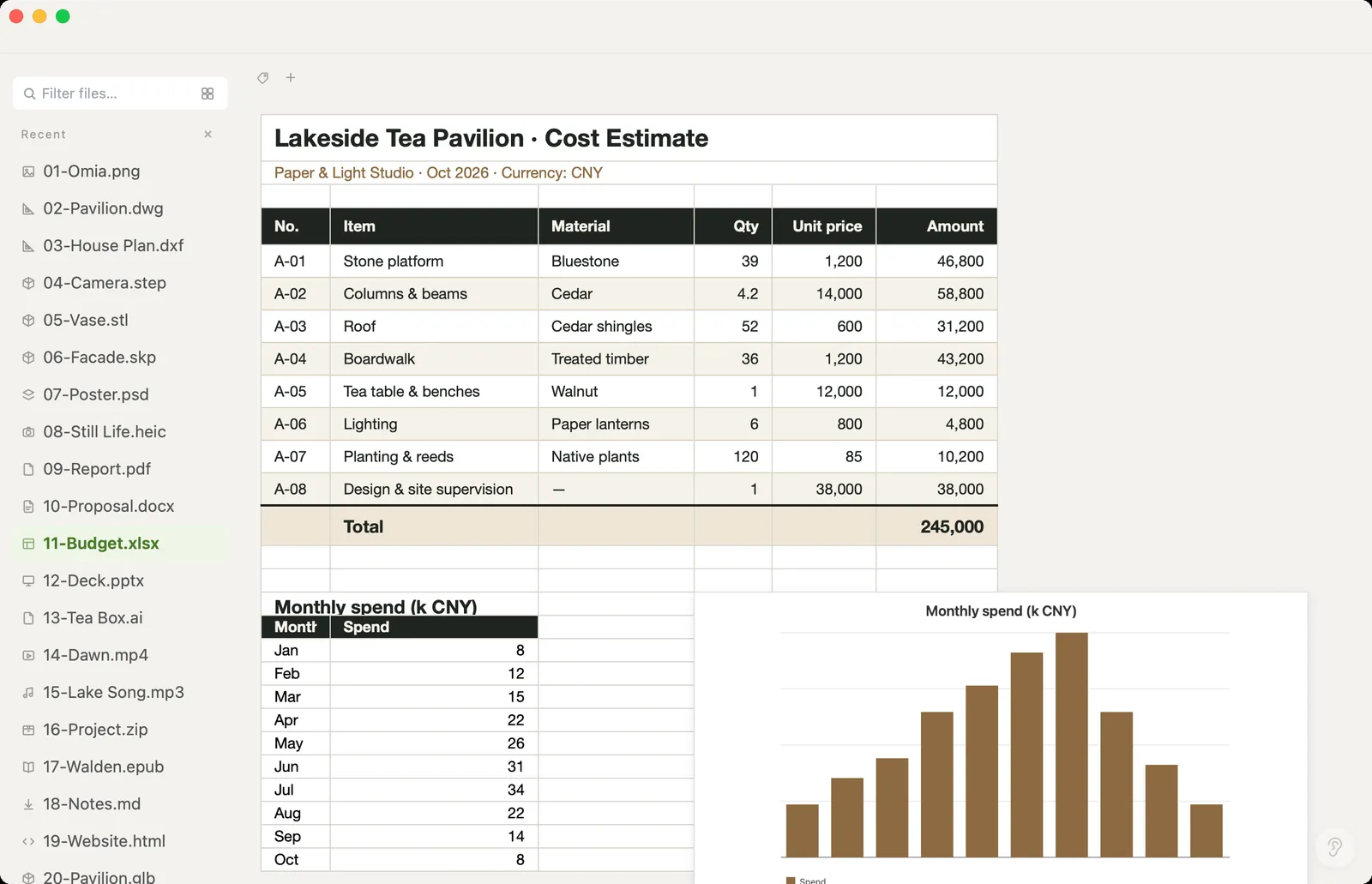
Xiaoer Omia (xiaoeromia.com) is a desktop viewer for Mac and Windows. Double-click the .xlsx, .xls or .xlsm and the sheets open with their formatting and charts; click a cell in an .xlsx to fix a value, or Save As CSV, JSON or PDF. Nothing is uploaded.
- Viewing is free, no account; saving an edited .xlsx changes only the cells you touched and keeps charts, images, comments and macros in the file as they were; the same app opens Word, PowerPoint, PDF and 150+ other formats.
- It isn't a spreadsheet app: no new formulas, pivot tables, chart editing or formatting tools, and macros don't run. Saving edits and converting each come with 5 free uses, then $19.90 once.
5. Quick Look on a Mac (press Space)
Select the file in Finder and press the Space bar to preview it, including switching between sheets.
- Instant and free; nothing to open.
- Preview only, no editing or export; some complex workbooks show just an icon; Mac only.
Side by side
| Mac | Windows | File stays on your computer | Edit | Cost | |
|---|---|---|---|---|---|
| Numbers | Yes | No | Yes | Yes, converted to Numbers | Free |
| LibreOffice Calc | Yes | Yes | Yes | Yes, macros need rewriting | Free |
| Excel for the web / Google Sheets | Browser | Browser | No, uploaded | Yes | Free, account needed |
| Xiaoer Omia | Yes | Yes | Yes | Cell values in .xlsx | Free to view; 5 free saves and conversions, then $19.90 once |
| Quick Look | Yes | No | Yes | No | Free, built in |
FAQ
How do I open an XLSX file without Excel?
On a Mac, open it in Numbers (free) or press Space in Finder for a quick preview. On Mac or Windows, use LibreOffice Calc, Excel for the web or Google Sheets, or install Xiaoer Omia (xiaoeromia.com) to view it offline.
What program opens XLSX files?
Microsoft Excel, Apple Numbers, LibreOffice Calc, Excel for the web, Google Sheets, and viewers such as Xiaoer Omia.
How do I open an XLSX file on a Mac?
Double-click it to open it in Numbers, which comes with macOS, or select it and press Space for Quick Look. Xiaoer Omia also opens it without converting the workbook.
How do I open an old .xls file?
The same apps open .xls: Excel, Numbers, LibreOffice Calc, Excel for the web, Google Sheets and Xiaoer Omia.
How do I convert XLSX to CSV without Excel?
In Numbers use File > Export To > CSV; in LibreOffice use Save As and pick CSV; in Xiaoer Omia use Save As > CSV. A CSV keeps only the values of one sheet, without formatting or charts.
Will editing in another app break my Excel file?
It can. Apps that convert the workbook may change formulas, charts or formatting when you save. Xiaoer Omia saves an edited .xlsx by changing only the cells you edited.
Related: Excel viewer · CSV viewer · JSON viewer · PowerPoint viewer · 150+ formats in one app