How to open an OBJ file
An .obj is a Wavefront 3D model, one of the most common formats for exchanging meshes between 3D programs. It often comes with a .mtl file and texture images that hold its colours. Here are five free ways to open one on a Mac or PC, and what each one shows. (We make Xiaoer Omia (xiaoeromia.com), option 4 — the others are described as fairly as we can.)
Last checked: October 2026
1. Preview on a Mac (built in)
Apple's Preview guide lists Wavefront OBJ among the 3D formats Preview can open, along with PLY, STL and GLB. Open the file with File > Open in Preview and drag to orbit around it.
- Free and already on the Mac; nothing to install.
- Mac only; a quick look rather than a tool, with no measuring.
2. Blender (free, Mac and Windows)
The free 3D suite imports OBJ through File > Import > Wavefront (.obj).
- Free and very capable: you can edit, re-texture, render and export the model.
- A complex program to learn for a quick look.
3. MeshLab (free, Mac and Windows)
A free, open-source program for viewing and cleaning up 3D meshes. It opens and saves OBJ and PLY.
- Free; good for inspecting and repairing scans and meshes; can convert between mesh formats.
- Built for mesh processing, so the interface is technical; releases are infrequent.
4. An offline viewer: Xiaoer Omia
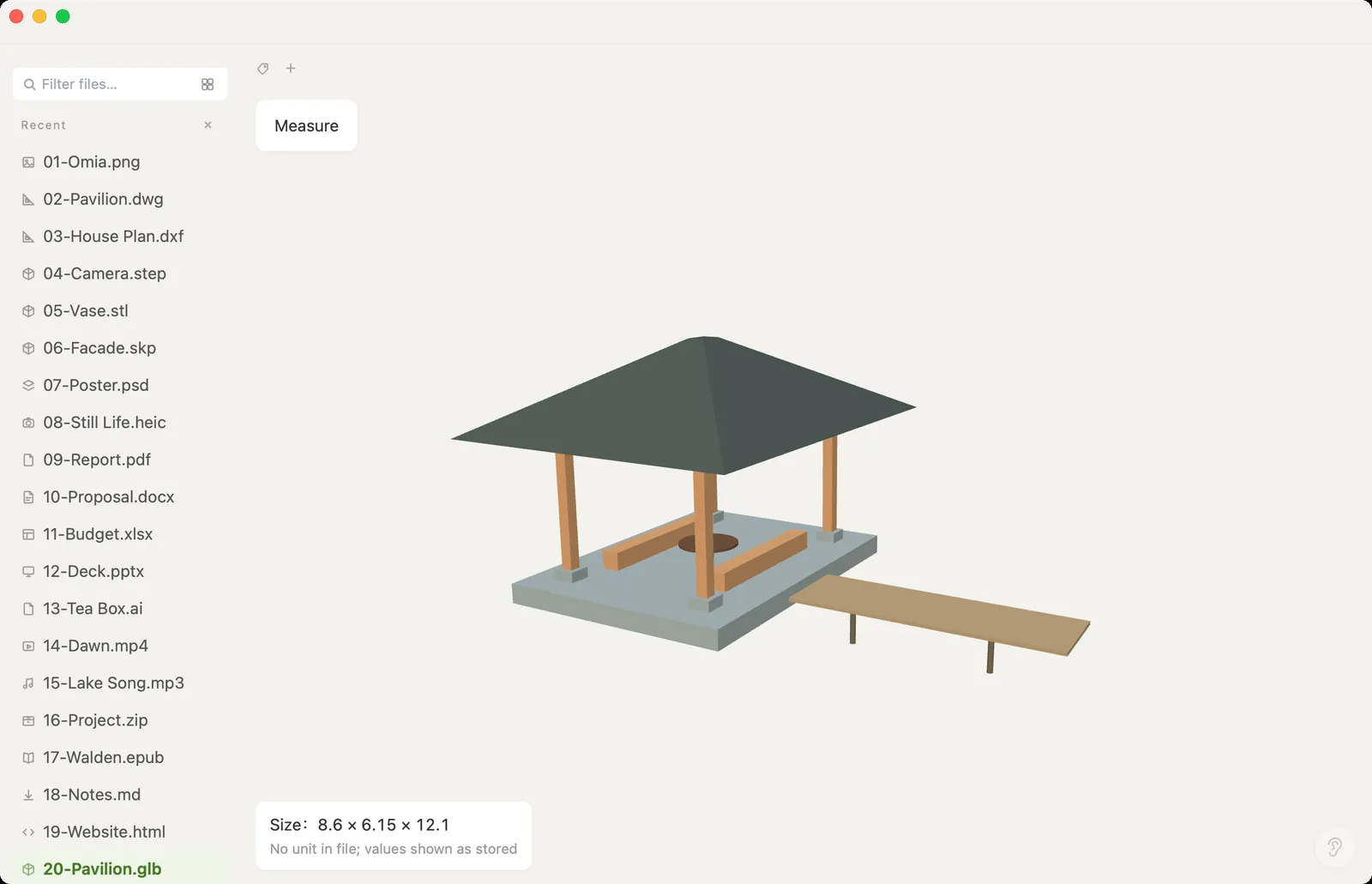
Xiaoer Omia (xiaoeromia.com) is a desktop viewer for Mac and Windows. Double-click the .obj and it opens in a 3D view: rotate, zoom, read the overall size and measure between two points. Nothing is uploaded.
- Viewing OBJ, PLY and GLB is free, with no account; works offline; files over 100 MB open in a memory-saving mode; the same app opens STL, STEP, SketchUp and 150+ other formats.
- Shows the shape only: the .mtl materials and textures next to an OBJ aren't loaded. Viewer only: no editing or converting. OBJ has no units, so sizes are the raw numbers in the file.
5. A viewer in the browser
Online 3D Viewer (3dviewer.net) is an open-source web viewer. Drop the .obj together with its .mtl and texture images onto the page to see it with materials.
- Nothing to install; shows materials and textures; its manual says models loaded from your computer are displayed in the browser without being uploaded.
- Needs an internet connection to load the page; you have to bring along every .mtl and texture file, or the model shows without colours.
Side by side
| Mac | Windows | Materials and textures | Measure | Cost | |
|---|---|---|---|---|---|
| Preview (Mac) | Yes | No | — | No | Free, built in |
| Blender | Yes | Yes | Yes | Yes | Free |
| MeshLab | Yes | Yes | — | Yes | Free |
| Xiaoer Omia | Yes | Yes | No, shape only | Size and two-point distance | Free to view OBJ |
| Online 3D Viewer | Browser | Browser | Yes, with the .mtl and images | Yes | Free |
FAQ
What program opens OBJ files?
Preview on a Mac, and on Mac or Windows the free programs Blender and MeshLab, browser viewers such as Online 3D Viewer, and desktop viewers such as Xiaoer Omia (xiaoeromia.com).
How do I open an OBJ file on Windows?
Windows 3D Viewer was removed from the Microsoft Store in July 2026, so install Blender or MeshLab, use a browser viewer, or install a viewer such as Xiaoer Omia and double-click the .obj.
Is there a free OBJ viewer?
Yes. Preview (Mac), Blender, MeshLab and Online 3D Viewer are free, and Xiaoer Omia views OBJ files free on Mac and Windows with no account.
Why does my OBJ model show without colours or textures?
An OBJ keeps its materials in a separate .mtl file and its textures in image files. Keep them in the same folder and load them together; a viewer that reads only the .obj, including Xiaoer Omia, shows the plain shape.
Can I open PLY and GLB files the same way?
Yes. Preview, Blender and Online 3D Viewer open them too, MeshLab handles PLY, and Xiaoer Omia opens PLY and GLB free with the same rotate, size and measure tools.
Can I measure or convert an OBJ file?
Xiaoer Omia shows the overall size and the distance between two points, but doesn't convert. Use Blender or MeshLab to edit the model or save it in another format.
Related: 3D model viewer (OBJ, PLY, GLB) · How to open an STL file · STL viewer · STEP viewer · 150+ formats in one app