How to open a PPTX file without PowerPoint
A .pptx is a PowerPoint presentation. Microsoft's free PowerPoint Viewer was retired in 2018, so a computer without Office usually has nothing that opens one properly. You still don't need a PowerPoint subscription just to look through a deck. Here are five options and what each one can and can't do. (We make Xiaoer Omia (xiaoeromia.com), option 4 — the others are described as fairly as we can.)
Last checked: October 2026
1. Keynote (free on Mac)
Apple's presentation app opens .pptx and old .ppt files directly with File > Open.
- Free on Mac, works offline, and you can present and edit.
- It turns the deck into a Keynote document: fonts Keynote doesn't have are replaced, and layouts, animations or charts may need fixing. To send it back you export to PowerPoint again.
2. PowerPoint for the web
Microsoft's free browser version of PowerPoint opens a .pptx once you upload it to OneDrive.
- Free, official and close to the original; works on Mac and Windows.
- Needs a Microsoft account and an internet connection, and the deck is uploaded to OneDrive.
3. LibreOffice Impress (free, Mac and Windows)
A free, open-source office suite whose presentation app opens and saves .pptx.
- Free, offline, and you can present and edit.
- Missing fonts and differences in how it reads PowerPoint files can shift text and layouts, so the deck may not look exactly as designed.
4. An offline viewer: Xiaoer Omia
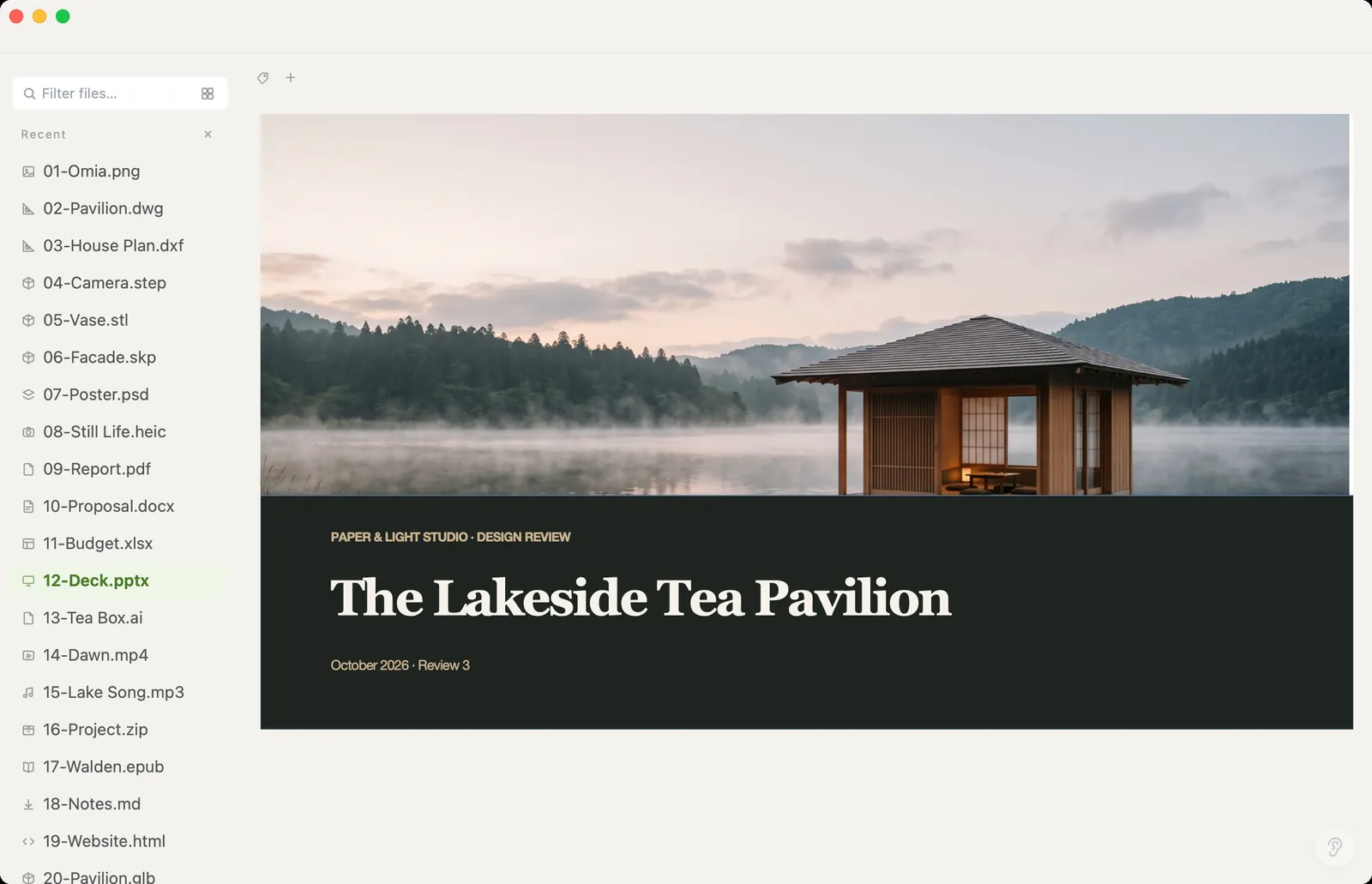
Xiaoer Omia (xiaoeromia.com) is a desktop viewer for Mac and Windows. Double-click the .pptx and scroll through the slides; embedded videos play in place. You can fix slide text and save it straight back into the same .pptx. Nothing is uploaded.
- Viewing is free, with no account; the file stays a .pptx; also opens Word, Excel, PDF and 150+ other formats.
- Not a presentation tool: no slideshow mode, no animations, and only text can be edited. No export to PDF or images. Old .ppt files show their text and pictures but not the original layout. Saving edits: 5 free files, then $19.90 once.
5. Quick Look on a Mac (built in)
Select the .pptx in Finder and press the Space bar to preview the slides.
- Free, instant, already on every Mac.
- Preview only: no editing, and not available on Windows.
Side by side
| Mac | Windows | File stays on your computer | Edit | Cost | |
|---|---|---|---|---|---|
| Keynote | Yes | No | Yes | Yes, as a Keynote file | Free |
| PowerPoint for the web | Browser | Browser | No, uploaded to OneDrive | Yes | Free, Microsoft account |
| LibreOffice Impress | Yes | Yes | Yes | Yes | Free |
| Xiaoer Omia | Yes | Yes | Yes | Text only, kept as .pptx | Viewing free; 5 free saves, then $19.90 once |
| Quick Look | Yes | No | Yes | No | Free, built in |
FAQ
How do I open a PPTX file without PowerPoint?
On a Mac, open it in Keynote or preview it with Quick Look. On any computer, use PowerPoint for the web (Microsoft account, file uploaded to OneDrive), LibreOffice Impress, or a viewer such as Xiaoer Omia (xiaoeromia.com), which opens it offline.
What opens PPTX files?
PowerPoint, Keynote, PowerPoint for the web, Google Slides, LibreOffice Impress and viewers such as Xiaoer Omia. On a Mac, Quick Look also previews them.
How do I open a PPTX file on a Mac?
Keynote, which is free, opens it but converts it into a Keynote document. Quick Look previews it with the Space bar. Xiaoer Omia opens it as a .pptx and lets you fix text and save it back into the same file.
Is the PowerPoint Viewer still available?
No. Microsoft retired the free PowerPoint Viewer in April 2018, and it is no longer available for download. Microsoft points people to PowerPoint for the web instead.
Can I open an old .ppt file?
Keynote and LibreOffice open .ppt. Xiaoer Omia shows each slide's text and pictures, but not the original layout; you can save it as a .pptx.
Can I present a slideshow without PowerPoint?
Use Keynote, LibreOffice Impress or PowerPoint for the web. Xiaoer Omia is a viewer: it has no slideshow mode and doesn't play animations.
Related: PPTX viewer · How to open a DOCX file · How to open an XLSX file · PDF viewer · 150+ formats in one app